
💬 Why Bring Abmatic AI to Slack
Your team lives in Slack, now your ABM engine does too.
Abmatic AI connects your marketing, sales, and data workflows so you can collaborate, analyze, and act on insights in real time, without ever leaving Slack.
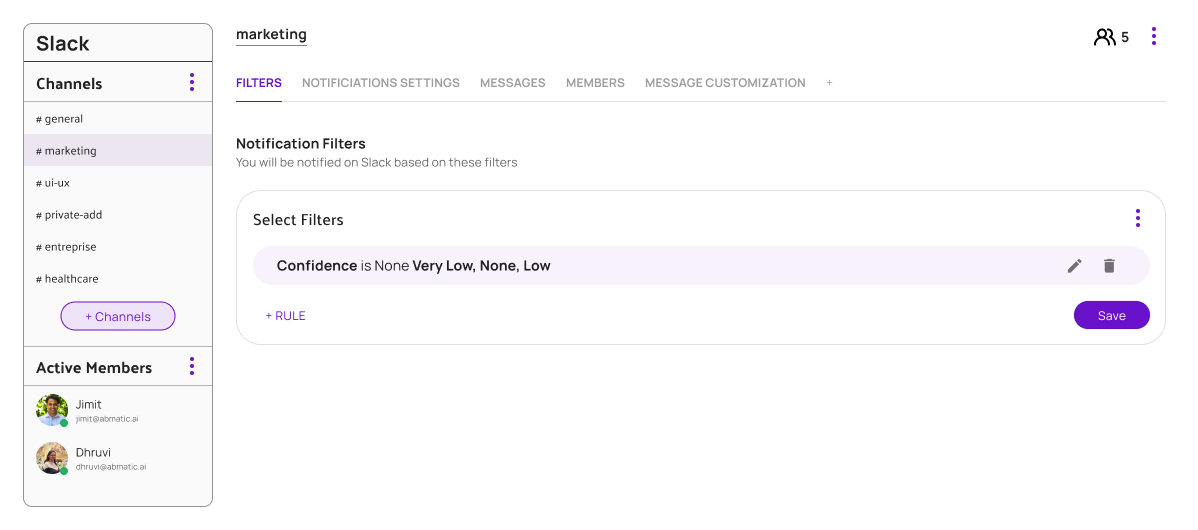
⚡ What You Can Do
• Get instant alerts when target accounts show intent, engage with campaigns, or hit milestones.
• See campaign summaries right in Slack threads, no need to check another dashboard.
• Collaborate seamlessly by sharing insights, assigning owners, and syncing actions back to your CRM and ad platforms.
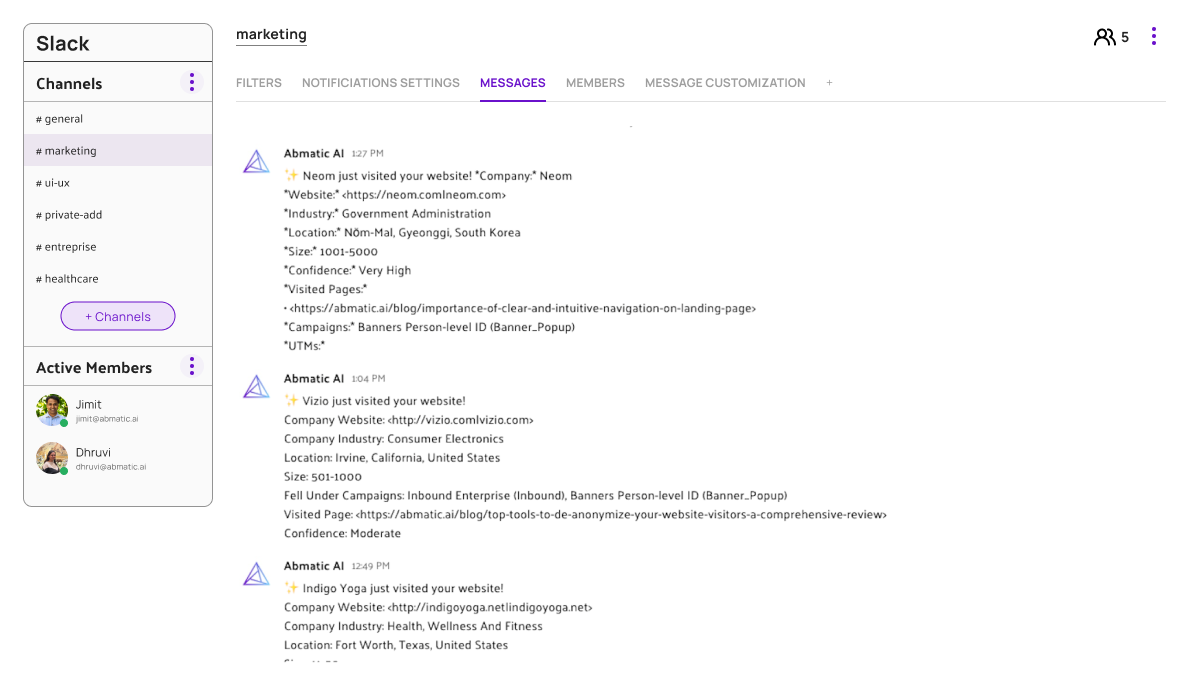
🧠 How It Works (Step-by-Step)
1) Create/Purchase Your Abmatic AI Account
Sign in to your paid Abmatic AI workspace. New users: complete checkout and workspace setup.
2) Open Integrations
Go to Abmatic AI → Settings → Integrations or visit
https://app.abmatic.ai/integrations
3) Connect Slack (two options)
-
Option A, From this page: Click the Add to Slack button above.
-
Option B, From your dashboard: On the Integrations page, select Slack → Connect.
4) Authorize in Slack
Choose your Slack workspace → review scopes → Allow.
5) Configure Defaults
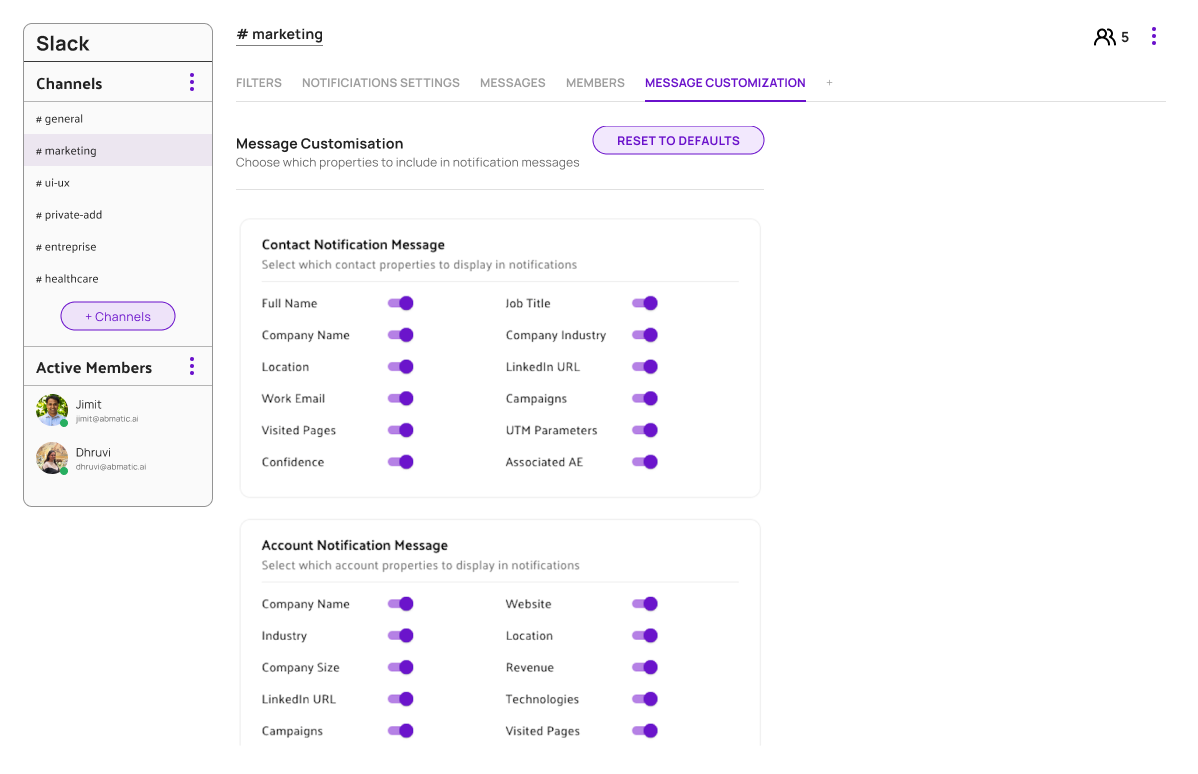
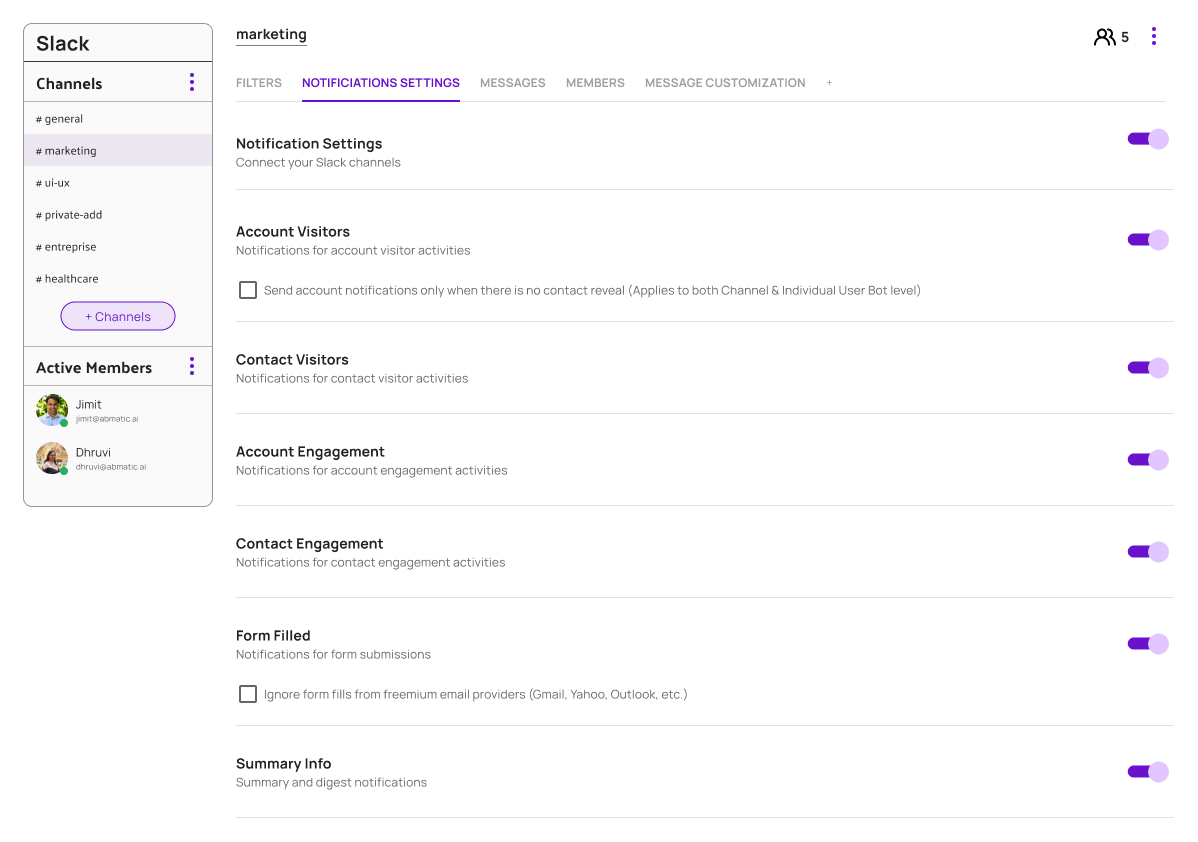
Pick default channels for alerts, choose alert types (intent, campaign performance, account activity), set frequency, and map Abmatic users ↔ Slack users.
6) Verify & Use
You’ll see a success screen and a welcome message in Slack. Share results in-channel, assign owners, or trigger automations, without leaving Slack.
🔧 Troubleshooting
-
“Add to Slack” is blocked → Ensure you’re logged into a paid Abmatic AI account and have Slack admin permission (if your org requires it).
-
Wrong workspace → During Slack auth, use the top-right workspace switcher to pick the correct Slack org.
✅ After Installation
-
Customize alert rules per channel or account list
-
Invite teammates and set their notification preferences
-
Connect CRM/ads data sources for richer insights
📈 Built for GTM Alignment
Abmatic AI unites marketing and sales around real-time data. From campaign engagement to pipeline acceleration, everything your team needs to make data-driven decisions is surfaced directly where collaboration happens, in Slack.
🧩 Works Seamlessly With
-
Salesforce, HubSpot, and Marketo
-
LinkedIn Ads, Google Ads, and programmatic platforms
-
Segment, Clearbit, and other data providers
🚀 Get Started
Install the Slack app, invite your teammates, and watch collaboration turn into pipeline momentum.
Need help? Visit our Support Page or email [email protected].